
DVT MCP Server for Verilog, SystemVerilog, VHDL, and e
Compiler-backed tools server for AI-assisted design and verification, grounding agents in real project context, architectural insight, and semantic understanding.
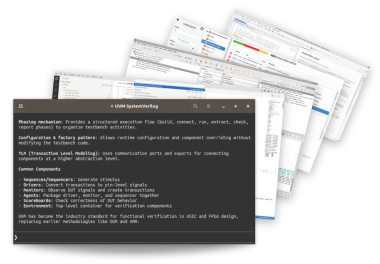
What Is DVT MCP Server
DVT MCP Server is a tools server that supports Verilog, SystemVerilog, VHDL, and the e Language, enabling AI agents and LLM-based code generators to understand, modify, and debug real-world design and verification projects efficiently and accurately.
Why You Need More Than an LLM for Verilog, SystemVerilog, and VHDL
Design and verification languages pose unique challenges for AI agents. While these agents excel at programming with general-purpose languages, they often struggle with domain-specific languages due to limited training data.
These challenges are structural. HDLs and HVLs rely on concurrency, elaboration, and complex cross-file hierarchies that make reliable AI-assisted code generation difficult.
Providing agents with full project context is essential for producing valid results in design and verification projects, as it grounds their reasoning in accurate language semantics and facilitates early error detection.
Boosts accurate code generation.
Enables AI-powered debug
Improves AI agent grounding.
Enhances large-project handling.
Speeds up AI agents.
Lowers token usage.
Enables agent fleets.
Enhances user experience.
How It Works With AI Tools
DVT MCP Server provides access to essential tools for real-world design and verification projects. By closing the feedback loop on code generation through on-the-fly compilation and precise error reporting, it enables iterative generation, validation, and correction of code.
By leveraging the elaborated design and verification full compilation hierarchy, it helps agents navigate complex projects, understand architectural intent, and accurately locate and reason about code constructs across the codebase.
Specialized debug tools further extend AI-assisted workflows by enabling analysis of simulation logs, waveform inspection, and initiation of time-zero debug sessions. They allow AI agents to efficiently identify root causes, correlate failures with source code, and validate fixes. These capabilities shorten debug cycles and improve developer productivity.
Avoiding grep-based searches and reducing context overload, the server helps agents focus on relevant information. Precise, context-aware information delivered by specialized tools speeds up debugging while improving correctness and accuracy.
DVT MCP Server is flexible and integrates seamlessly into existing workflows. It can run directly within DVT IDE to provide live project context to interactive AI assistants, or operate in batch mode to support fleets of agents, enabling scalable, parallel execution for large codebases and automated workflows.
Key Features
- Incremental compilation for AI-generated code.
- Architectural exploration API/tools (design hierarchy, verification hierarchy, compiled files).
- Semantic exploration API/tools (definitions, usages).
- Support for IDE AI agents including DVT AI Assistant (in DVT IDE), Claude Code, Codex, Gemini, Kiro, Cursor, GitHub Copilot, Cline, Pi.
- Support for batch mode AI agents and AI-based automation.
- Cross-language capabilities for mixed-language projects.
- Debugging API/tools including structured access to simulation logs and waveforms.
- Fully compliant with the Model Context Protocol (MCP) standard.
Why choose DVT MCP Server
- Validate AI-generated code.
- Avoid hallucinations and incorrect context grounding.
- Avoid grep-based searches to reduce context overload and token usage.
- Create more efficient and convergent AI workflows.
- Enable automated AI workflows through fleets of agents.
- Built by EDA Experts.
Security, Privacy and Data Handling
DVT MCP Server runs locally within the user’s controlled environment, keeping source code on internal infrastructure and operating under existing security policies, without external services, additional permissions, or outbound data transfer.
Frequently Asked Questions
Is DVT MCP Server a Verilog, SystemVerilog, or VHDL AI code generator?
No. DVT MCP Server is not a code generator. It works alongside AI tools and LLMs used for Verilog, SystemVerilog, and VHDL. It connects these tools to the actual project, where they validate and refine code using real compilation feedback.
What is a Verilog or VHDL MCP server, and how is DVT MCP Server different?
A Verilog or VHDL MCP server provides AI tools with structured access to design and verification data through the Model Context Protocol (MCP). DVT MCP Server uses compiled design data to expose this information, giving AI assistants access to the full project context rather than isolated code snippets.
Does DVT MCP Server support SystemVerilog and mixed-language projects?
Yes. DVT MCP Server supports Verilog, SystemVerilog, VHDL, and the e Language, including mixed-language projects. It relies on the compiled design structure to help the AI model navigate and reason across languages and files.
Does DVT MCP Server depend on a specific LLM or AI model?
DVT MCP Server is model-agnostic. It works with any LLM or AI assistant that supports the Model Context Protocol (MCP). This means teams are not tied to a specific model or provider and can choose the tools that best fit their workflows.
Can DVT MCP Server be used with Claude Code, Codex, GitHub Copilot, or other AI assistants?
Yes. DVT MCP Server works with MCP-compatible AI assistants, including Claude Code, Codex, GitHub Copilot, and others, both in IDE environments and from the command line. It exposes compiler-backed project data through standard interfaces, giving these tools access to live design context to analyze code and validate changes within existing workflows, without losing project context.
Does DVT MCP Server support large and complex HDL projects?
Yes. DVT MCP Server is designed to work with large and complex design and verification codebases. It uses the full project hierarchy so AI assistants can navigate, analyze, and reason about code across modules and files, supporting accurate understanding at scale, even in multi-file, mixed-language environments.
Can an AI agent work with multiple projects at the same time while using the DVT MCP Server?
Yes. The agent can use a single DVT MCP connector to communicate with multiple running DVT MCP endpoints of different projects.
Does DVT MCP Server run inside user infrastructure (on-premises)?
Yes. DVT MCP Server runs on-premises and fits within existing security and compliance requirements. Teams retain full control over their design data without introducing external dependencies or data transfer.
Can DVT MCP Server be used with other hardware design and verification tools?
Yes. DVT MCP Server works alongside existing design and verification tools and fits into current workflows. It works with AI assistants as well as other tools used for development, debugging, analysis, and documentation.
For example, teams can combine it with:
- DVT IDE for editing, navigating, and analyzing HDL code
- DVT Debugger for debugging simulation behavior and investigating issues
- Verissimo SystemVerilog Linter for static code analysis and coding guideline enforcement
- Specador Documentation Generator for generating documentation from HDL/HVL source code